Claude Design എന്താണ്? Anthropic-ന്റെ AI Design Tool എങ്ങനെ ഉപയോഗിക്കാം?
Anthropic Labs പുറത്തിറക്കിയ Claude Design, conversation വഴി designs, prototypes, presentations, slides, one-pagers, marketing assets എന്നിവ നിർമ്മിക്കാനും refine ചെയ്യാനും സഹായിക്കുന്ന AI design workspace ആണ്. Prompt മാത്രം നൽകുന്നതിന് പകരം comments, direct edits, design controls, prototypes, exports എന്നിവയും workflow-ന്റെ ഭാഗമാക്കുന്നു.
എന്താണ് Claude Design?
AI ലോകത്ത് chatbot-ഉകൾ text generate ചെയ്യുന്നതിൽ നിന്ന് complete workspaces ആയി മാറുന്ന ഘട്ടത്തിലാണ് Anthropic Claude Design അവതരിപ്പിച്ചിരിക്കുന്നത്.
2026 ഏപ്രിൽ 17-ന് Anthropic Labs അവതരിപ്പിച്ച Claude Design, Claude-നൊപ്പം collaborate ചെയ്ത് polished visual work നിർമ്മിക്കാൻ ലക്ഷ്യമിടുന്ന product ആണ്. Designs, prototypes, slides, one-pagers തുടങ്ങിയവ ഇതിലൂടെ നിർമ്മിക്കാം.
ഇവിടെ പ്രധാന മാറ്റം prompt → answer എന്ന traditional chatbot workflow-ൽ നിന്ന്:
Brief → Design → Feedback → Edit → Prototype → Export → Development
എന്ന workflow-ലേക്കുള്ള മാറ്റമാണ്.
Anthropic പറയുന്നതനുസരിച്ച് Claude Design-ൽ first version conversation വഴി ഉണ്ടാക്കിയ ശേഷം inline comments, direct edits, custom adjustment controls എന്നിവ ഉപയോഗിച്ച് output refine ചെയ്യാം.
AT A GLANCE
| Feature | Claude Design |
|---|---|
| Developer | Anthropic Labs |
| Launch | April 17, 2026 |
| Status | Research Preview |
| Core purpose | AI-assisted visual work |
| Designs | ✅ |
| Prototypes | ✅ |
| Presentations | ✅ |
| One-pagers | ✅ |
| Marketing assets | ✅ |
| Interactive prototypes | ✅ |
| PPTX export | ✅ |
| PDF export | ✅ |
| HTML export | ✅ |
| Canva export | ✅ |
| Claude Code handoff | ✅ |
| Access | Pro, Max, Team, Enterprise |
എന്തുകൊണ്ടാണ് Claude Design ശ്രദ്ധേയമാകുന്നത്?
സാധാരണ AI chatbot ഉപയോഗിക്കുമ്പോൾ workflow പല tools-ലായി പിരിഞ്ഞിരിക്കും.
Prompt → Text → Design tool → Manual editing → Prototype → Developer
Claude Design ഈ workflow-യിലെ പല ഘട്ടങ്ങളും ഒരിടത്തേക്ക് കൊണ്ടുവരാൻ ശ്രമിക്കുന്നു.
Anthropic-ന്റെ product announcement പ്രകാരം, usersക്ക് text prompt മുതൽ images, DOCX, PPTX, XLSX files വരെ ഉപയോഗിച്ച് project ആരംഭിക്കാം. Existing website-ൽ നിന്നുള്ള elements reference ചെയ്യാൻ web capture tool-ഉം ഉപയോഗിക്കാം.
അതുകൊണ്ടുതന്നെ Claude Design-നെ മറ്റൊരു AI image generator എന്നതിലുപരി AI-assisted design workspace ആയി കാണുന്നതാണ് കൂടുതൽ ശരി.
Claude Design-ന്റെ പ്രധാന Features
1. Prompt-ൽ നിന്ന് Design
ഒരു rough Brief നൽകിയാൽ Claude first design version തയ്യാറാക്കും.
ഉദാഹരണം:
“ഒരു Indian AI startup-നായി 6-slide investor pitch deck തയ്യാറാക്കുക. Clean professional style ഉപയോഗിക്കുക. ഓരോ slide-ലും ഒരു പ്രധാന message മാത്രം.”

ഇവിടെ ലക്ഷ്യം ഒരു text answer ലഭിക്കുക മാത്രമല്ല; usable visual output ഉണ്ടാക്കുകയാണ്.
2. Conversation വഴി Refinement
ആദ്യ output final അല്ല.
Userക്ക്:

- typography മാറ്റാം
- spacing മാറ്റാം
- colours adjust ചെയ്യാം
- layout മാറ്റാം
- text edit ചെയ്യാം
- specific element-നെ കുറിച്ച് feedback നൽകാം
Anthropic പറയുന്നതനുസരിച്ച് inline comments, direct editing, adjustment controls എന്നിവ ഉപയോഗിച്ച് design കൂടുതൽ fine-tune ചെയ്യാം.
3. Interactive Prototypes
Claude Design-ന്റെ പ്രധാന വ്യത്യാസങ്ങളിൽ ഒന്നാണ് static mockup-ുകളിൽ നിന്ന് interactive prototype-ലേക്ക് പോകാനുള്ള കഴിവ്.
Product teams-ന് ഇത് പ്രത്യേകിച്ച് പ്രയോജനകരമാണ്.
workflow:
Idea → Wireframe → Interactive Prototype → User Feedback → Refinement
Code review അല്ലെങ്കിൽ production implementation തുടങ്ങുന്നതിന് മുമ്പ് concept പരീക്ഷിക്കാൻ ഇത് സഹായിക്കും.
4. Brand Consistency
Business usersക്ക് മറ്റൊരു പ്രധാന feature design system support ആണ്.
Team-ന്റെ codebase, design files എന്നിവയിൽ നിന്ന് design system നിർമ്മിക്കാനും projects-ൽ colors, typography, components തുടങ്ങിയവ consistent ആയി ഉപയോഗിക്കാനും Claude Design സഹായിക്കുന്നു.
ഇത് agencies, marketing teams, corporate design teams എന്നിവയ്ക്ക് പ്രത്യേകമായി പ്രാധാന്യമുള്ളതാണ്.

5. Existing Website Reference ചെയ്യാം
ഒരു existing website-ന്റെ elements capture ചെയ്ത് പുതിയ prototype-ന് reference ആയി ഉപയോഗിക്കാം.
അതായത്:
Existing Website → Capture → New Concept → Prototype
എന്ന workflow സാധ്യമാകുന്നു.
Presentation നിർമ്മിക്കാൻ Claude Design എങ്ങനെ ഉപയോഗിക്കാം?
ഒരു beginner workflow ഇങ്ങനെ പരീക്ഷിക്കാം:
Step 1 — Brief നൽകുക
“Create a 6-slide investor presentation for an Indian AI startup.”
Step 2 — Design direction നൽകുക
“Use a premium, minimal technology aesthetic.”
Step 3 — Content hierarchy വ്യക്തമാക്കുക
“One key message per slide.”
Step 4 — Refinement
“Make the typography more minimal and increase whitespace.”
Step 5 — Brand system ചേർക്കുക
Company colours, typography, logo എന്നിവ ഉൾപ്പെടുത്തുക.
Step 6 — Review
ഓരോ slide-ലും ആവശ്യമായ direct edits ചെയ്യുക.
Step 7 — Export
Final presentation PPTX അല്ലെങ്കിൽ PDF ആയി export ചെയ്യാം; Canva-യിലേക്കും design കൈമാറാം.
ആരൊക്കെയാണ് Claude Design ഉപയോഗിക്കേണ്ടത്?
Creators
Social graphics, presentation concepts, campaign visuals എന്നിവയ്ക്ക്.
Students
Project presentations, prototypes, visual explanations എന്നിവയ്ക്ക്.
Founders
Pitch decks, product concepts, landing-page ideas എന്നിവ വേഗത്തിൽ അവതരിപ്പിക്കാൻ.
Marketers
Campaign visuals, one-pagers, landing pages, social media assets എന്നിവയ്ക്ക്.
Product Teams
Wireframe → prototype → developer handoff workflow-ന്.
Designers
Final design replacement എന്നതിലുപരി rapid exploration tool ആയി.
Claude Design + Claude Code
Claude Design-ന്റെ ഏറ്റവും interesting ഭാഗങ്ങളിൽ ഒന്നാണ് design-to-development handoff.
Design ready ആയ ശേഷം Claude Design ഒരു handoff bundle തയ്യാറാക്കി അത് Claude Code-ലേക്ക് നൽകാൻ സഹായിക്കുന്നു. അതുവഴി prototype-ൽ നിന്ന് implementation-ലേക്ക് പോകുന്ന ഘട്ടം കൂടുതൽ seamless ആക്കുകയാണ് Anthropic ലക്ഷ്യമിടുന്നത്.
workflow:
Claude Design → Prototype → Claude Code → Production
എന്ന രീതിയിൽ വികസിപ്പിക്കാം.
ഇത് AI development workflow-ൽ design-നും coding-നും ഇടയിലുള്ള traditional gap കുറയ്ക്കാനുള്ള ശ്രമമായി കാണാം.
Canva Integration
Claude Design-ൽ നിന്ന് Canvaയിലേക്ക് design കൈമാറാനും കഴിയും.
Anthropic പറയുന്നതനുസരിച്ച് Canva integration വഴി Claude Design-ൽ നിന്നുള്ള ideas, drafts എന്നിവ Canva-യിലേക്ക് കൊണ്ടുപോയി editable, collaborative designs ആയി refine ചെയ്യാം.
ഇത് marketing teams-ന് practical advantage നൽകുന്ന integration ആണ്.
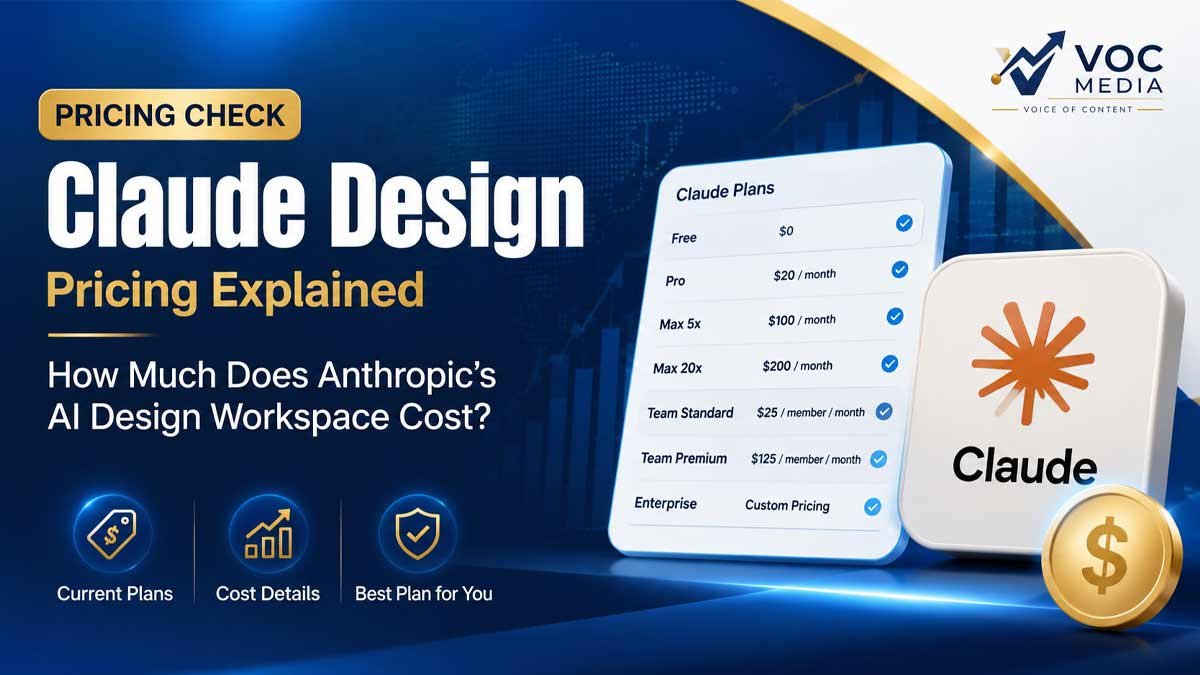
Claude Design Access & Pricing
Claude Design നിലവിൽ Claude Pro, Max, Team, Enterprise subscribers-ന് ലഭ്യമാണ്.
Access subscription limits ഉപയോഗിക്കുന്നു. Extra usage enable ചെയ്യാനുള്ള option-ഉം Anthropic വ്യക്തമാക്കുന്നു.
Enterprise organizations-ൽ Claude Design default ആയി off ആയിരിക്കും; administrator Organization settings വഴി അത് enable ചെയ്യണം.
Claude Design-ന്റെ വലിയ Advantage എന്താണ്?
Claude Design-ന്റെ value ഒരു single image അല്ലെങ്കിൽ single presentation generate ചെയ്യുന്നതിൽ മാത്രം അല്ല.
ഇതിന്റെ വലിയ advantage:
“Design iteration speed.”
ഒരു designer അല്ലെങ്കിൽ product team സാധാരണയായി:
Brief → Mockup → Review → Changes → Second Version → Review → Prototype
എന്നിങ്ങനെ പല rounds നടത്തേണ്ടി വരും.
Claude Design ഈ iterative process-ന്റെ സമയം കുറയ്ക്കാൻ ശ്രമിക്കുന്നു.
Anthropic-ന്റെ examples-ലും teams rough ideas-ൽ നിന്ന് working prototypes-ലേക്ക് വളരെ വേഗത്തിൽ എത്തുന്നതിനെക്കുറിച്ച് പറയുന്നു.
Limitations: Claude Design ഡിസൈനറെ മാറ്റി സ്ഥാപിക്കില്ല
Claude Design-നെ professional designer replacement എന്ന് കാണുന്നത് ശരിയായ സമീപനം ആയിരിക്കില്ല.
Creative work-ൽ:
human taste
brand judgment
storytelling
visual hierarchy
audience understanding
business context
എന്നിവ ഇപ്പോഴും നിർണായകമാണ്.
Anthropic തന്നെ Claude creative professionals-ന്റെ taste അല്ലെങ്കിൽ imagination replace ചെയ്യില്ല എന്ന് വ്യക്തമാക്കിയിട്ടുണ്ട്. AI repetitive work കുറയ്ക്കുകയും exploration വേഗത്തിലാക്കുകയും ചെയ്യുന്നതാണ് പ്രധാന ലക്ഷ്യം.
അതുകൊണ്ട് Claude Design-ന്റെ മികച്ച ഉപയോഗം:
AI generates and iterates. Human decides.
എന്ന model ആണ്.
Security & Business Considerations
AI agents കൂടുതൽ autonomy നേടുമ്പോൾ productivity-ക്കൊപ്പം പുതിയ risks-ഉം ഉണ്ടാകുന്നു.
Anthropic തന്നെ agentic systems-ൽ unintended actions, permission issues, prompt injection തുടങ്ങിയ risks ചൂണ്ടിക്കാണിച്ചിട്ടുണ്ട്.
അതിനാൽ business environment-ൽ Claude Design ഉപയോഗിക്കുമ്പോൾ:
- Sensitive files ശ്രദ്ധയോടെ handle ചെയ്യുക
- Access permissions നിയന്ത്രിക്കുക
- AI-generated output human review ചെയ്യുക
- Final publication മുമ്പ് brand/legal checks നടത്തുക
- Developer handoff-ന് മുമ്പ് prototype verify ചെയ്യുക
എന്നിവ പ്രധാനമാണ്.
THE BIGGER PICTURE
Claude Design ഒരു isolated product launch ആയി മാത്രം കാണേണ്ടതില്ല.
AI industry ഇപ്പോൾ:
Chatbots → AI Assistants → AI Agents → AI Workspaces
എന്ന ദിശയിലേക്ക് നീങ്ങുകയാണ്.
Anthropic-ന്റെ Claude Code, Claude Cowork തുടങ്ങിയ products AI-യെ simple question-answer system-ൽ നിന്ന് multi-step work ചെയ്യാൻ കഴിയുന്ന systems ആയി വികസിപ്പിക്കുന്ന broader strategy-യുടെ ഭാഗമാണ്. Anthropic തന്നെ agentic AI-യെ പുതിയ frontier ആയി വിശേഷിപ്പിച്ചിട്ടുണ്ട്.
Claude Design അതേ മാറ്റത്തിന്റെ creative-work version ആണ്.
VOC ANALYSIS
Claude Design-ന്റെ യഥാർത്ഥ മത്സരം AI image generators-നോടല്ല.
ഇത് കൂടുതൽ വലിയ category-യെയാണ് target ചെയ്യുന്നത്:
AI Work Creation.
ഒരു founder-ന് idea ഉണ്ടെങ്കിൽ:
Idea → Pitch Deck → Prototype → Landing Page → Marketing Asset
എന്നിങ്ങനെ പല deliverables ആവശ്യമായി വരും.
ഒരു product team-ന്:
Requirement → Wireframe → Prototype → Feedback → Code
ആവശ്യമാണ്.
Claude Design ഈ workflow-കളുടെ ഇടയിൽ AI-യെ ഒരു creative collaborator ആയി സ്ഥാപിക്കുകയാണ്.
അതിനാൽ VOC Media-യുടെ വിലയിരുത്തലിൽ Claude Design-ന്റെ ഏറ്റവും വലിയ potential design generation അല്ല — design workflow compression ആണ്.
VOC Take
Claude Design = AI Designer എന്നതിലുപരി AI Design Workspace.
2026-ലെ AI competition കൂടുതൽ sophisticated ആകുമ്പോൾ “ആരാണ് മികച്ച answer നൽകുന്നത്?” എന്ന ചോദ്യത്തിൽ നിന്ന് “ആരാണ് ഒരു complete workflow പൂർത്തിയാക്കുന്നത്?” എന്ന ചോദ്യത്തിലേക്കാണ് മത്സരം മാറുന്നത്.
Claude Design ആ മാറ്റത്തിന്റെ ശ്രദ്ധേയമായ ഉദാഹരണമാണ്.
VOC Rating: 4.5/5
Best for: Founders, marketers, product teams, creators, designers
Best use: Prototyping + presentations + design exploration + workflow acceleration
FAQ
Claude Design എന്താണ്?
Anthropic Labs വികസിപ്പിച്ച AI design workspace ആണ്. Designs, prototypes, presentations, slides, one-pagers, marketing assets തുടങ്ങിയ visual work നിർമ്മിക്കാനും refine ചെയ്യാനും ഇത് സഹായിക്കുന്നു.
Claude Design സൗജന്യമാണോ?
ഇത് Claude Pro, Max, Team, Enterprise subscribers-ന് ലഭ്യമാണ്; subscription usage limits ബാധകമാണ്.
Claude Design ഉപയോഗിച്ച് PPT ഉണ്ടാക്കാമോ?
അതെ. Presentations സൃഷ്ടിക്കാനും final output PPTX ആയി export ചെയ്യാനും കഴിയും.
Canva-യിലേക്ക് export ചെയ്യാമോ?
അതെ. Claude Design-ൽ നിന്നുള്ള designs Canva-യിലേക്ക് കൊണ്ടുപോയി further editing നടത്താം.
Claude Design designers-നെ replace ചെയ്യുമോ?
പൂർണ്ണമായി replace ചെയ്യുന്നതായി കാണാൻ കഴിയില്ല. Rapid exploration, prototyping, repetitive production എന്നിവ വേഗത്തിലാക്കുന്നതിലാണ് ഇതിന്റെ പ്രധാന value.
Claude Code-ഉമായി ഉപയോഗിക്കാമോ?
അതെ. Design ready ആയ ശേഷം Claude Code-ലേക്ക് development handoff ചെയ്യാനുള്ള workflow Anthropic ഒരുക്കിയിട്ടുണ്ട്.
Author : Ummer Mohammed
VOC VERIFIED™
Product: Claude Design
Developer: Anthropic Labs
Launch: April 17, 2026
Status: Research Preview
Verification: VERIFIED
Primary Source: Anthropic Official Product Announcement
Last Verified: September 1, 2026
Anthropic-ന്റെ official product announcement അടിസ്ഥാനമാക്കി access, capabilities, export options, Claude Code handoff, Canva integration എന്നിവ cross-check ചെയ്താണ് ഈ article തയ്യാറാക്കിയത്.