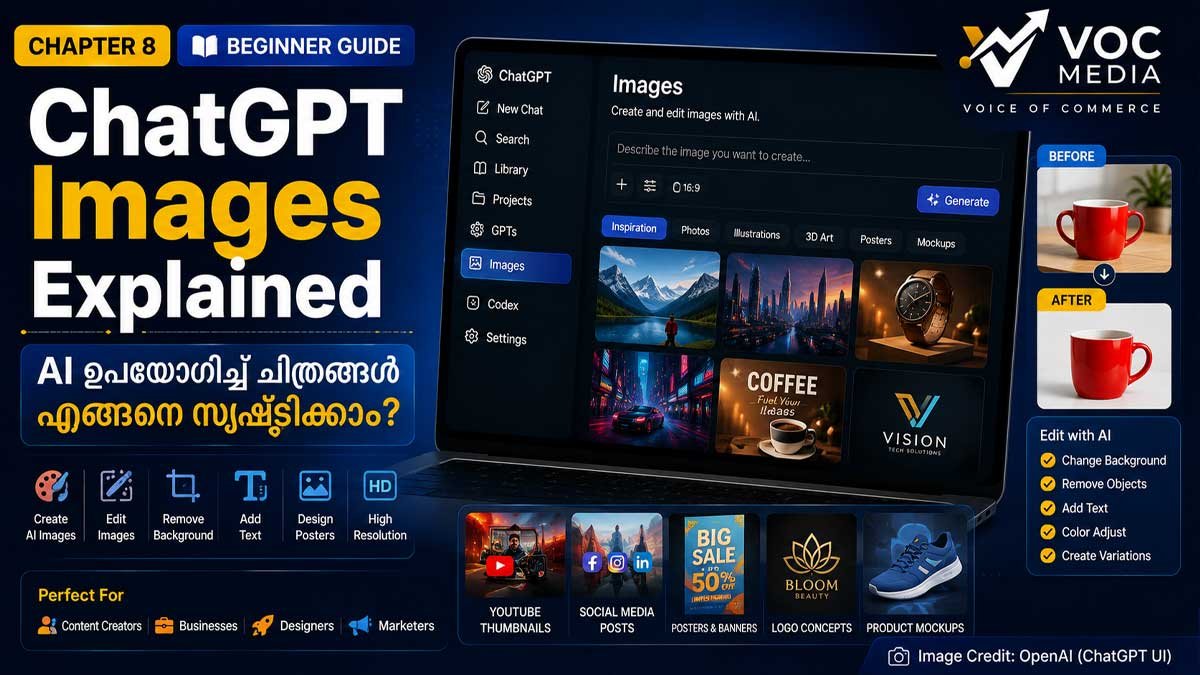
ChatGPT Images ഫീച്ചർ ഉപയോഗിച്ച് ടെക്സ്റ്റ് നിർദേശങ്ങൾ (Prompts) നൽകി പുതിയ ചിത്രങ്ങൾ സൃഷ്ടിക്കാനും നിലവിലുള്ള ചിത്രങ്ങൾ തിരുത്താനും കഴിയും. Content Creators, Designers, Businesses, Students എന്നിവർക്കായി ഇത് ശക്തമായ AI Creative Tool ആണ്.
ChatGPT Complete Guide 2026:Chapter 8
AI ഉപയോഗിച്ച് ചിത്രങ്ങൾ സൃഷ്ടിക്കുന്ന സാങ്കേതികവിദ്യ കഴിഞ്ഞ ഏതാനും വർഷങ്ങളിൽ വലിയ മുന്നേറ്റമാണ് നടത്തിയത്. ഇന്ന് ഒരു ലളിതമായ ടെക്സ്റ്റ് നിർദേശം നൽകിയാൽ സെക്കൻഡുകൾക്കുള്ളിൽ ഉയർന്ന നിലവാരമുള്ള ചിത്രങ്ങൾ സൃഷ്ടിക്കാൻ ChatGPT-യ്ക്ക് കഴിയും.
ഒരു YouTube Thumbnail, Facebook Poster, Product Mockup, Logo Concept, Social Media Banner, Blog Illustration, Presentation Graphic എന്നിവ നിർമ്മിക്കാൻ ഇനി Professional Design Software മാത്രം ആശ്രയിക്കേണ്ട സാഹചര്യം കുറയുകയാണ്.
ChatGPT Images ഫീച്ചർ ഉപയോഗിച്ച് പുതിയ ചിത്രങ്ങൾ സൃഷ്ടിക്കാനും നിലവിലുള്ള ചിത്രങ്ങൾ Edit ചെയ്യാനും, Background മാറ്റാനും, Text ചേർക്കാനും, Design Variations ഉണ്ടാക്കാനും കഴിയും.
ഈ ഗൈഡിൽ ChatGPT Images ഫീച്ചറിന്റെ എല്ലാ പ്രധാന ഉപയോഗങ്ങളും വിശദമായി പരിചയപ്പെടാം.
Quick Facts
| വിഷയം | വിവരങ്ങൾ |
|---|---|
| Feature | Images |
| Platform | Web, Android, iPhone, Desktop |
| Developer | OpenAI |
| Best For | Designers, Creators, Businesses |
| Difficulty | ???? Beginner |
| Reading Time | 10–12 Minutes |
ChatGPT Images എന്താണ്?
ChatGPT Images എന്നത് AI ഉപയോഗിച്ച് ചിത്രങ്ങൾ സൃഷ്ടിക്കാനും നിലവിലുള്ള ചിത്രങ്ങൾ എഡിറ്റ് ചെയ്യാനും സഹായിക്കുന്ന Creative Feature ആണ്.
ChatGPT Images ഉപയോഗിച്ച് എന്തൊക്കെ ചെയ്യാം?
AI Images സൃഷ്ടിക്കുക
Image Editing
Background മാറ്റുക
Object Remove ചെയ്യുക
Poster Design
Thumbnail Design
Logo Concepts
Social Media Graphics
Product Mockups
Illustrations
Images എവിടെയാണ് കാണുക?
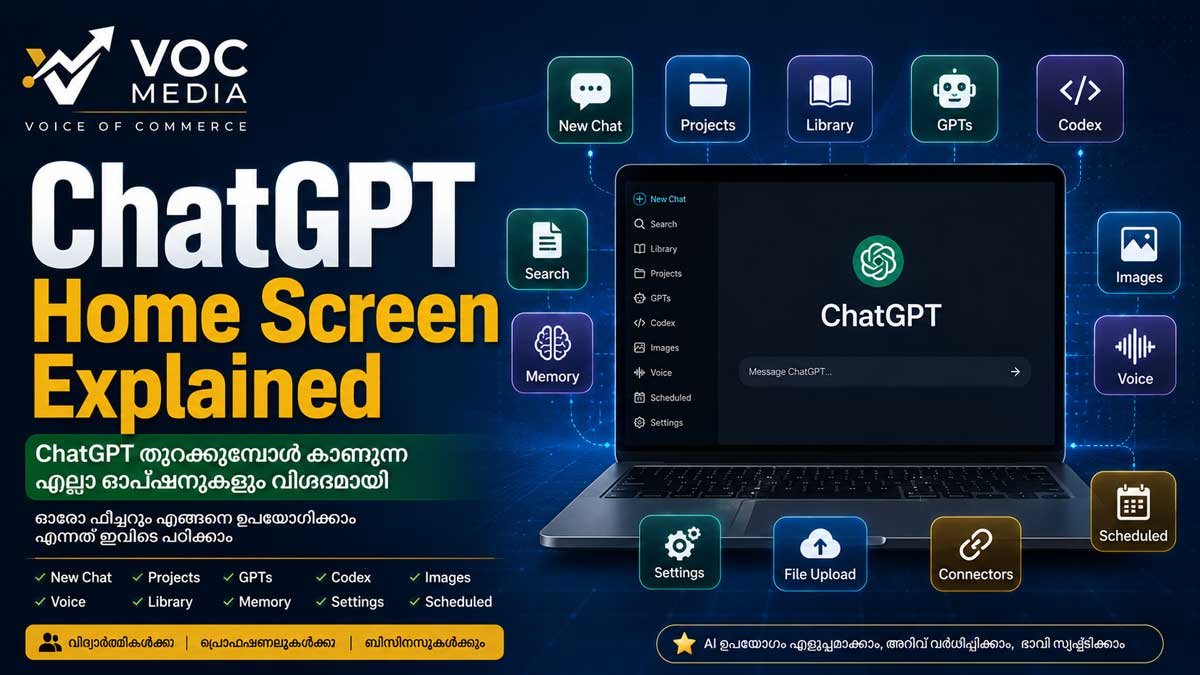
Desktop / Web
Sidebar → Images
Mobile
Compose മെനുവിലോ Image option-ലോ (ലഭ്യത പതിപ്പിനെ ആശ്രയിച്ചിരിക്കും)
AI Image എങ്ങനെ സൃഷ്ടിക്കാം?
Step 1
ChatGPT തുറക്കുക.
Step 2
Images തിരഞ്ഞെടുക്കുക.
Step 3
നിങ്ങൾക്ക് വേണ്ട ചിത്രം വ്യക്തമായി വിവരിക്കുക.
ഉദാഹരണം:
"Create a modern 1200×675 YouTube thumbnail about AI in blue and gold colors."
Step 4
Generate തിരഞ്ഞെടുക്കുക.
Step 5
ആവശ്യമെങ്കിൽ മാറ്റങ്ങൾ ആവശ്യപ്പെടുക.
നിലവിലുള്ള ചിത്രം എങ്ങനെ Edit ചെയ്യാം?
ചിത്രം Upload ചെയ്യുക.
മാറ്റങ്ങൾ വ്യക്തമായി എഴുതുക.
ഉദാഹരണങ്ങൾ:
Background Remove
Text മാറ്റുക
Logo ചേർക്കുക
Object Remove
Color Change
High Resolution Version
മികച്ച Prompt എഴുതാനുള്ള Tips
✅ Image Size വ്യക്തമാക്കുക.
✅ Style എഴുതുക.
✅ Colors വ്യക്തമാക്കുക.
✅ Camera Angle പറയുക.
✅ Lighting വ്യക്തമാക്കുക.
✅ Text Placement നിർദ്ദേശിക്കുക.
ആരൊക്കെ ഉപയോഗിക്കണം?
Graphic Designers
Content Creators
Newsrooms
Marketing Agencies
Business Owners
Social Media Managers
Students
Teachers
Business Use Cases
YouTube Thumbnails
News Graphics
Social Media Posters
E-commerce
Product Images
Promotional Creatives
Marketing Agency
Ad Campaign Creatives
Client Posters
Startup
Logo Concepts
Brand Mockups
ChatGPT Images ഉപയോഗിക്കുന്നതിന്റെ ഗുണങ്ങൾ
Design സമയം കുറയ്ക്കുന്നു
Creative Ideas വേഗത്തിൽ ലഭിക്കുന്നു
നിരവധി Variations പരീക്ഷിക്കാം
ചെറിയ ടീമുകൾക്കും Professional Visuals നിർമ്മിക്കാം
Content Production വേഗത്തിലാക്കുന്നു
Limitations
സങ്കീർണ്ണമായ ടെക്സ്റ്റ് എല്ലായ്പ്പോഴും കൃത്യമായി വരണമെന്നില്ല.
ചില edit അഭ്യർത്ഥനകൾക്ക് കൂടുതൽ നിർദ്ദേശങ്ങൾ ആവശ്യമായേക്കാം.
Copyright, Trademark എന്നിവ മാനിക്കണം.
Commercial ഉപയോഗത്തിന് മുമ്പ് ആവശ്യമായ പരിശോധന നടത്തണം.
Common Mistakes
❌ വളരെ ചെറിയ Prompt നൽകുക.
❌ Image Size പറയാതിരിക്കുക.
❌ Style വ്യക്തമാക്കാതിരിക്കുക.
❌ AI Output പരിശോധിക്കാതെ Publish ചെയ്യുക.
Best Practices
✅ വ്യക്തമായ Prompt.
✅ Resolution വ്യക്തമാക്കുക.
✅ Brand Colors ഉപയോഗിക്കുക.
✅ Final Human Review നടത്തുക.
Learn More
ChatGPT Complete Guide
ChatGPT Library Explained
ChatGPT GPTs Explained
Prompt Engineering Guide
FAQ
ChatGPT ഉപയോഗിച്ച് സൗജന്യമായി ചിത്രങ്ങൾ സൃഷ്ടിക്കാമോ?
ലഭ്യത അക്കൗണ്ട്, പ്ലാൻ, ഉപയോഗപരിധി എന്നിവ അനുസരിച്ച് മാറാം.
സ്വന്തം ചിത്രം Upload ചെയ്ത് Edit ചെയ്യാനാകുമോ?
അതെ. ലഭ്യമായ image editing ഫീച്ചറുകൾ ഉപയോഗിച്ച് മാറ്റങ്ങൾ ആവശ്യപ്പെടാം.
Thumbnail സൃഷ്ടിക്കാനാകുമോ?
അതെ. YouTube, Facebook, LinkedIn, Website എന്നിവയ്ക്കായി വ്യത്യസ്ത വലുപ്പത്തിലുള്ള ചിത്രങ്ങൾ നിർദേശിക്കാം.
ChatGPT Photoshop-ന് പകരമാണോ?
അല്ല. ChatGPT വേഗത്തിൽ ആശയങ്ങളും ചിത്രങ്ങളും സൃഷ്ടിക്കാൻ സഹായിക്കുന്ന AI Tool ആണ്. Professional Design Software-ന് ഇപ്പോഴും സ്വന്തം പ്രാധാന്യമുണ്ട്.
VOC Take
AI Image Generation ഇന്ന് Content Creation-ന്റെ അവിഭാജ്യ ഘടകമായി മാറുകയാണ്. ChatGPT Images ഉപയോഗിച്ച് ചെറിയ ബിസിനസുകൾക്കും മാധ്യമ സ്ഥാപനങ്ങൾക്കും Content Creators-ക്കും വളരെ കുറഞ്ഞ സമയത്തിനുള്ളിൽ ഉയർന്ന നിലവാരത്തിലുള്ള Visual Content സൃഷ്ടിക്കാൻ കഴിയും. എന്നാൽ പ്രസിദ്ധീകരിക്കുന്നതിന് മുമ്പ് ഓരോ ചിത്രവും മനുഷ്യ പരിശോധനയ്ക്ക് വിധേയമാക്കുന്നത് എപ്പോഴും നല്ല രീതിയാണ്.
Sources & References
Official Sources
OpenAI – ChatGPT
OpenAI Help Center
OpenAI Academy
OpenAI Documentation
OpenAI Safety Center
Additional References
OpenAI Release Notes
OpenAI Model Documentation
OpenAI GPTs Documentation
OpenAI Codex Documentation (where applicable)
Editorial Transparency
AI-Assisted Editing
This article was prepared with the assistance of Artificial Intelligence (AI) for research support, language refinement, content organization, and editorial drafting.
Human Verification
This content has been reviewed, fact-checked, edited, and approved by the VOC Media Editorial Team before publication. Technical information has been verified using official OpenAI documentation and trusted sources wherever applicable.
Last Updated: 7 August 2026
Article Type
Category: Knowledge Hub
Series: ChatGPT Complete Guide 2026
Difficulty Level: Beginner
Author
VOC Media Business Desk
Editorial Review: VOC Editorial Team
Fact Check: VOC Research Team